The window cleaning invoicing and scheduling app for solo operators
Window cleaning earns twice from every good client: the spring clean and the fall clean, plus the storefront route in between. MyKlient keeps the route days tight and makes sure the rebooking text goes out before the competition knocks.
Storefront routes and seasonal residential cleans
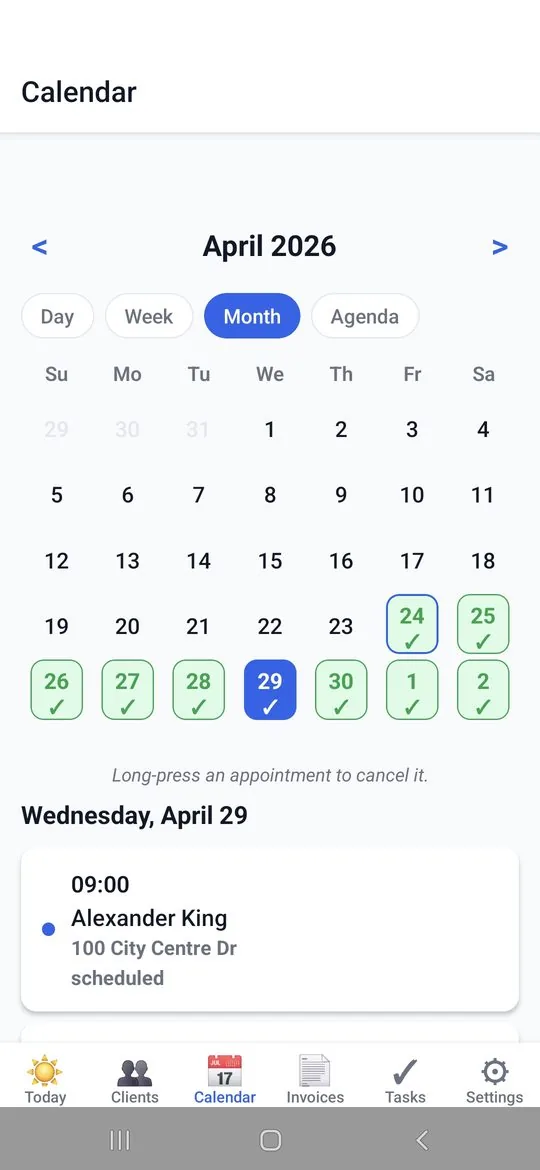
Storefront routes recur weekly or monthly on their own; residential cleans book seasonally. Weather pushes a day? Move the route forward in a tap and the sequence holds. The calendar shows the whole season's shape at a glance. High-access jobs that need two people get flagged, so solo days stay solo.
Ladder access, screens, and the windows that stick
The client card notes which windows stick, where the ladder goes, interior-only rooms, screen counts, and the storefront's preferred morning window — everything a helper needs to run the route the way you would. Pets, pollen screens, that one window that isn't yours to touch: it's all written down.
Monthly storefront billing, on-the-spot residential
Storefront accounts get one monthly branded invoice; residential cleans are invoiced on the spot with a Please-Pay-By date. Quarterly stats show the spring and fall peaks — and what the route base earns between them. Post-construction cleans get quoted first — glass condition is a gamble — then invoiced once approved.
Texts that get cars moved and doors unlocked
'On my way' unlocks doors and moves cars before you arrive. And when six months have passed, a quick text to past clients — 'time for the fall clean?' — refills the calendar from your own client list. Storefront managers get a monthly 'done for this month' text that doubles as an invoice reminder.
Window cleaning service types, ready to price
Window cleaning is a pre-loaded trade: seeded service types and checkmarks — exterior, interior, screens, tracks — are ready at sign-up to rename around how you quote. Quick Add your route and storefront day is organized by the weekend. The app runs in English and Spanish, matching whoever answers the door.
Questions window cleaners ask
Can it handle both storefront routes and residential cleans?
Yes. Storefront accounts recur weekly or monthly on their own, while residential cleans book seasonally — usually spring and fall — without disturbing the route.
How do I bill monthly storefront accounts?
Roll the month's visits into a single branded invoice per storefront, and invoice residential cleans on the spot with a Please-Pay-By date. Both carry your logo.
What details can I store for each property?
Which windows stick, where the ladder goes, screen counts, interior-only rooms, pets to watch for, and the storefront's preferred morning window — everything a helper needs to run the route the way you would.
Can I remind past customers it's time for another clean?
You can draft a message to past clients when the season comes round. MyKlient prepares one message per client and you send them through your phone's own messaging app, so it stays personal — and there are no SMS credits to buy.
Simple pricing — no ads, ever
Up to 5 clients, every feature included.
Up to 20 clients, invoice PDFs, SMS automation. Or $49/year.
Unlimited clients, team logins, per-person permissions, audit log. Or $129/year.
Annual billing saves about 27%. Cancel anytime. Full plan details →
Try MyKlient free
Free for your first 5 clients — every feature, no card required. In English and Spanish.


MyKlient is also built for auto detailers, caterers, cleaners, DJs, and other trades — see everything it does →