The scheduling and invoicing app built for DJs
DJ work is weekends booked months out: weddings, corporate parties, birthdays — each with a venue, a timeline, a do-not-play list, and a balance due before the first dance. MyKlient keeps every gig's details and money in one place.
Weekends booked out months in advance
Gigs book onto the calendar with load-in times, and prep tasks — playlist review, equipment check — attach to the same date. A month view of the season shows which weekends are sold and which need filling. Buffer time before and after each gig is part of the booking, so back-to-back Saturdays stay physically possible.
Do-not-play lists and venue power quirks
The client card carries the venue's loading directions, power quirks, the must-play and do-not-play lists, key song pronunciations, and the planner's cell — everything you'd otherwise dig out of a six-month-old email thread. Recurring corporate clients keep their AV quirks on file year to year.
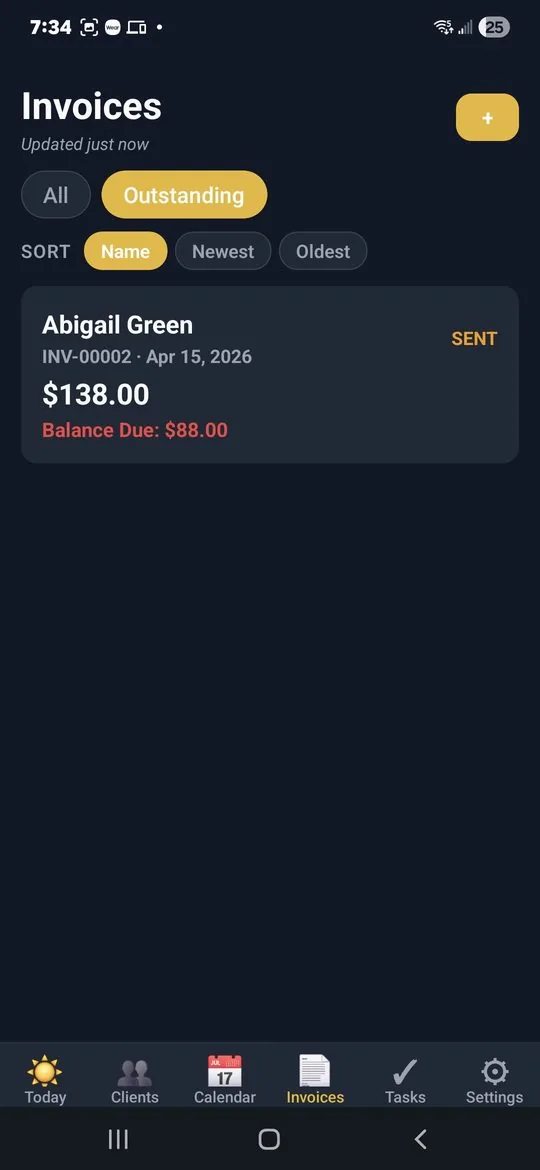
Deposit locks the date, balance clears before the first dance
Deposit locks the date, balance clears before the event: branded invoices with Please-Pay-By dates make both feel professional. The yearly view shows what wedding season actually pays versus the winter corporate run. Add-ons agreed at the venue — extra hour, uplighting — get added as line items before the invoice goes out.
Week-of confirmations that prevent day-of chaos
A week-of confirmation text — timeline, arrival, final song requests — heads off day-of chaos. 'On my way' and 'Setup complete' keep planners breathing normally. A thank-you text with the final invoice lands while the night is still a good memory.
DJ packages, set up in an evening
DJ is one of the 17 pre-loaded trades: seeded service types are ready to rename into your packages — reception only, ceremony sound, MC add-on — so quotes and invoices stay consistent. Quick Add your booked couples and the season's gigs are on one calendar tonight. Dark theme included, for booth-light legibility.
Questions djs ask
Can it keep track of gigs booked months ahead?
Yes. Gigs go on the calendar with load-in times, and prep tasks like playlist review attach to the same date. A month view shows which weekends are sold and which still need filling.
Where do I keep the do-not-play list and venue details?
On the client's card, along with loading directions, power quirks, must-play songs, name pronunciations, and the planner's cell — instead of in a six-month-old email thread.
How do deposits work for wedding DJ bookings?
The deposit invoice locks the date and the balance clears before the event, both as branded PDFs with Please-Pay-By dates. Add-ons agreed at the venue become line items before the invoice goes out.
Is there a dark mode for working in a booth?
Yes — the app has a dark theme and seven accent colours, which is considerably easier on the eyes behind a booth light at midnight.
Simple pricing — no ads, ever
Up to 5 clients, every feature included.
Up to 20 clients, invoice PDFs, SMS automation. Or $49/year.
Unlimited clients, team logins, per-person permissions, audit log. Or $129/year.
Annual billing saves about 27%. Cancel anytime. Full plan details →
Try MyKlient free
Free for your first 5 clients — every feature, no card required. In English and Spanish.


MyKlient is also built for electricians, event planners, handymen, HVAC technicians, and other trades — see everything it does →