The scheduling and invoicing app built for landscapers
Landscaping runs in seasons and routes: mowing loops all summer, cleanups in spring and fall, and a schedule that falls apart every time it rains. MyKlient keeps the route on rails and makes the reshuffle painless.
Route days that survive a rained-out week
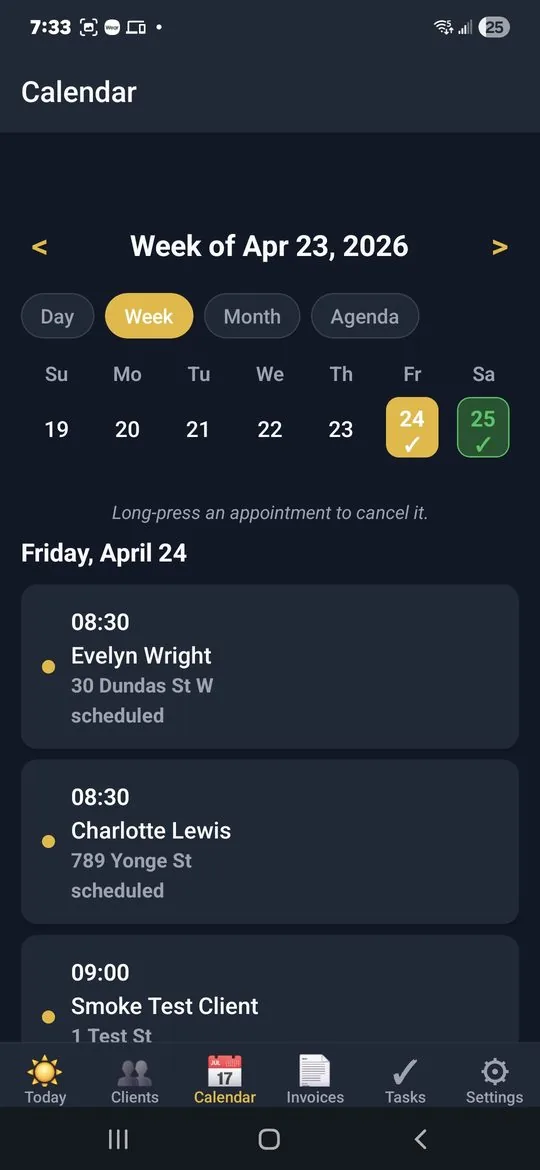
Group clients into route days and let recurring visits fill the calendar for the season. Rained out? Move the day's visits forward and the rest of the week adjusts around them. The month view shows completed versus scheduled days, so you always know where the season stands.
Property notes your crew can follow without calling you
Every property card holds what the crew needs: gate codes, where the clippings go, sprinkler-head warnings, which beds get mulch, and the client's preferred cut height. Notes and before/after photos stay attached to the visit, so 'how did we leave it last time' has an answer.
Bill per cut, per visit, or monthly
Bill the way each client prefers — per cut, per visit, or one monthly invoice for the season. Branded PDF invoices carry your logo and a Please-Pay-By date, and the quarterly stats view shows exactly what the mowing season actually earned. Send a quote for a one-off install — a patio bed, a sod job — and when the prospect approves, convert them into a client in a tap, so nothing gets re-typed.
Let the client know the crew is coming
A one-tap 'On my way' keeps the client's dog inside and the gate unlocked before you arrive. When the job's done, 'Job completed' plus the invoice goes out before the trailer is loaded.
Pre-loaded for lawn care from day one
Lawn care is one of MyKlient's pre-loaded trades: sign up and the service types and visit checkmarks for mowing, edging, and cleanups are already there, ready to adjust to your crew's routine. Quick Add your clients, set the route days, and the season books itself. And when the back of a property has no signal, check-ins and checklist ticks are saved and sync later.
Questions landscapers ask
Is there a lawn care scheduling app that handles route days?
That is how MyKlient is built. Group clients onto the weekday you service them, set the visits to recur, and the season fills in ahead of you. The Today screen lists each day's stops in order so the crew knows what's next.
What happens to my schedule when it rains?
Tap the visits you couldn't get to and move them forward. The rest of the recurring series stays put, so a washed-out Tuesday doesn't reshuffle the whole season.
Can I invoice monthly instead of per cut?
Both work. Bill per cut, per visit, or roll a month of visits into one branded PDF invoice for clients on a seasonal agreement. The quarterly view shows what the mowing season actually earned.
Does it work in the back of a property with no signal?
Partly. Check-ins, check-outs, and checklist ticks made in a dead zone behind a property are saved and sync the next time you have signal. Loading clients and schedules needs a connection.
Simple pricing — no ads, ever
Up to 5 clients, every feature included.
Up to 20 clients, invoice PDFs, SMS automation. Or $49/year.
Unlimited clients, team logins, per-person permissions, audit log. Or $129/year.
Annual billing saves about 27%. Cancel anytime. Full plan details →
Try MyKlient free
Free for your first 5 clients — every feature, no card required. In English and Spanish.


MyKlient is also built for personal assistants, pest control operators, pet care providers, plumbers, and other trades — see everything it does → Need paper for now? Free landscaping invoice template. Weighing the big platforms? What Jobber costs a one-person crew.